
Photo Editing – Edit, Enhance & Optimize Photos Online Easily
In today’s digital era, visuals dominate the internet. From social media posts and blog articles to business websites and online stores, high-quality images influence engagement, credibility, and conversions. That’s why photo editing has become an essential part of content creation. Whether you are a beginner or a professional, having access to simple and efficient photo editing tools can transform the way your visuals look online.
The tool available at imageeditor.imagecompress.in makes photo editing fast, accessible, and hassle-free. Without installing heavy software or learning complicated design systems, you can edit, crop, resize, enhance, and optimize photos directly from your browser.
What Is Photo Editing?
Photo editing refers to the process of enhancing or modifying images to improve their appearance, clarity, and usability. It may include adjusting brightness, correcting contrast, cropping unnecessary areas, resizing dimensions, compressing file size, or enhancing overall quality.
Modern photo editing no longer requires expensive desktop applications. Online tools allow users to perform essential editing tasks instantly. This shift has made image enhancement more accessible to bloggers, marketers, students, and small businesses.
Why Online Photo Editing Is So Popular
The rise of digital platforms has increased the demand for quick and effective visual improvements. Online photo editing tools provide convenience and flexibility that traditional software often cannot match.
Here’s why users prefer browser-based editing tools:
No installation required
Works on desktop, tablet, and mobile devices
Instant processing and quick downloads
Beginner-friendly interface
Saves time and storage space
With just an internet connection, photo editing becomes available anywhere, anytime.
Key Features of the Photo Editing Tool
The platform at imageeditor.imagecompress.in focuses on simplicity and performance. It provides essential features needed for everyday image enhancement without overwhelming users with unnecessary complexity.
1. Upload and Edit Instantly
You can upload popular formats like JPG, PNG, and WebP. Once uploaded, the photo editing process begins immediately in your browser.
2. Crop Photos Accurately
Remove unwanted sections and focus on important elements. Cropping improves composition and makes images more visually appealing.
3. Resize for Different Platforms
Adjust image dimensions for websites, blogs, Instagram posts, Facebook banners, or product listings. Proper resizing ensures faster loading and better responsiveness.
4. Adjust Brightness and Contrast
Improve visibility and clarity with simple adjustments. These small tweaks can significantly enhance the professional look of your photos.
5. Compress for Web Optimization
Large images slow down websites. Photo editing tools that include compression help reduce file size without noticeable quality loss.
6. Download in High Quality
After making changes, download your edited photo instantly in optimized quality.
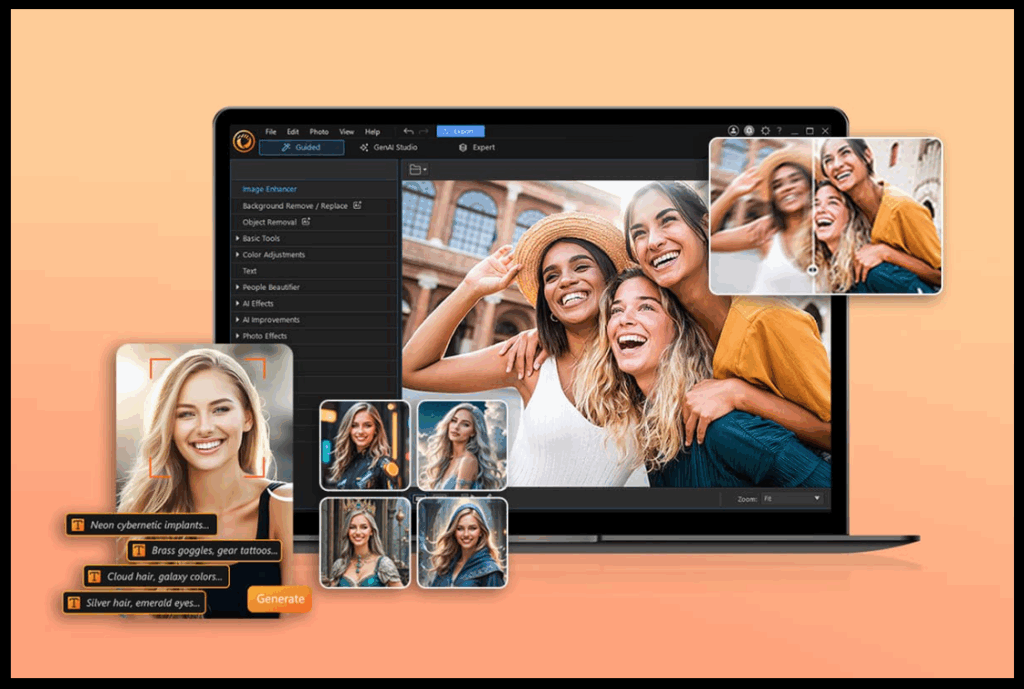
Who Needs Image Editing?
Image editing is not just for designers. It is useful for almost everyone who works with digital content.
Bloggers and Content Creators
Optimized and enhanced images improve blog readability and SEO performance. Faster-loading visuals reduce bounce rates and improve user experience.
Social Media Managers
Attractive visuals increase engagement. Editing photos before posting ensures consistency and professional branding.
Small Business Owners
Product photos, promotional banners, and marketing materials require quick enhancements. Photo editing tools simplify this process.
Students and Teachers
Educational presentations and assignments often need visual improvements. Online editing tools make it easy without technical expertise.
Website Developers
Optimized images improve page speed and overall site performance, which directly impacts search engine rankings.
SEO Benefits of Proper Photo Editing
Many people overlook how photo editing affects SEO. However, optimized images contribute significantly to website performance and rankings.
Here’s how:
-
Reduced file size improves loading speed
-
Better quality images enhance user engagement
-
Proper dimensions support responsive design
-
Optimized visuals reduce bounce rates
Search engines prioritize fast and user-friendly websites. Editing and compressing images before uploading them plays a crucial role in achieving that goal.
How to Use the Image Editing Tool
Using the online tool is simple and straightforward:
-
Upload your photo
-
Choose editing options such as crop, resize, or brightness adjustment
-
Preview the updated image
-
Download the final version
The entire process takes only a few minutes and requires no registration.
Best Practices for Effective Photo Editing
To get the most out of your editing experience, follow these tips:
-
Start with a high-quality original image
-
Avoid over-editing that reduces natural appearance
-
Resize images according to platform requirements
-
Compress images for faster loading
-
Save files in the appropriate format (JPG for photos, PNG for transparency)
These simple practices ensure professional-looking results.
Image Editing for Social Media Success
Social media platforms rely heavily on visuals. Poorly edited images can reduce credibility and engagement. Proper photo editing helps maintain consistent color tones, sharpness, and dimensions across posts.
For example:
-
Instagram posts require square dimensions
-
Facebook covers need specific width-to-height ratios
-
LinkedIn banners follow different formatting standards
Online editing tools make these adjustments quick and efficient.
Photo Editing for eCommerce Growth
For online stores, visuals directly impact sales. Customers often decide based on product photos. Enhancing brightness, correcting background distractions, and resizing images properly can significantly improve conversions.
Effective photo editing ensures:
-
Clear product visibility
-
Accurate color representation
-
Professional brand image
-
Faster website performance
Small improvements in visuals can lead to better customer trust.
Advantages of Browser-Based Photo Editing
Traditional editing software can be complex and resource-heavy. Online photo editing offers multiple advantages:
-
Lightweight and fast
-
No system compatibility issues
-
No updates or installations
-
Accessible from any device
-
Cost-effective solution
For everyday editing needs, browser-based tools are more than sufficient.
The Future of Photo or Image Editing
As technology evolves, online tools continue to improve in speed and efficiency. Artificial intelligence and automation are gradually simplifying complex editing tasks. However, even basic features like cropping, resizing, and compression remain essential.
Platforms like imageeditor.imagecompress.in focus on practical functionality—giving users exactly what they need for effective photo editing without unnecessary distractions.
Why Choose ImageEditor.ImageCompress.in?
There are many editing tools available online, but this platform stands out because of its focus on simplicity and performance. It is designed for users who want quick results without confusion.
Key advantages include:
-
Clean interface
-
Fast processing
-
Secure file handling
-
Mobile-friendly access
-
No learning curve
Whether you are preparing a blog image or optimizing product photos, the process remains smooth and efficient.
Conclusion
Photo editing is no longer optional in the digital landscape—it is essential. From improving social media visuals to optimizing website performance, proper editing enhances both appearance and functionality.
The online tool at imageeditor.imagecompress.in provides a simple yet powerful solution for everyday image enhancement needs. With easy controls, instant results, and no installation required, it makes photo editing accessible to everyone.
If you want fast, reliable, and user-friendly editing without technical complications, start using this photo editing tool today and experience how effortless enhancing your visuals can be.
You May Follow:
7. Blog Post.